
Introduction
This guide shows you how to log in to your ArchGriffin client portal to manage your services, billing, and support.
Step 1: Go to the Client Portal
Visit: https://portal.archgriffin.com
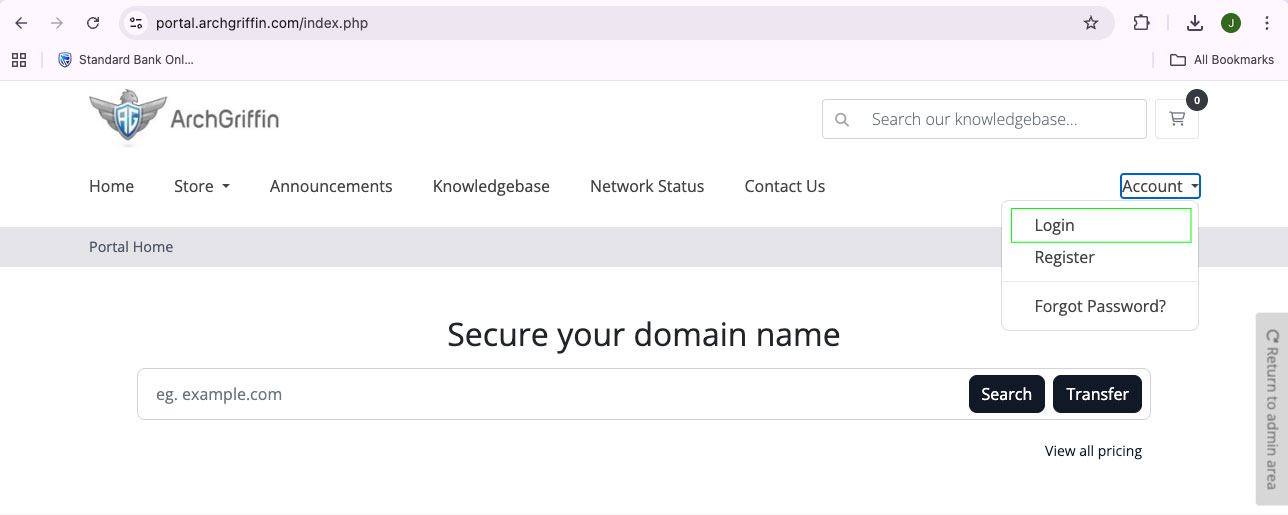
Step 2: Click “Login”
Click the Login button in the top navigation menu.
Step 3: Enter Your Login Details
Enter your:
- Email Address
- Password
** Use the same login details you created during registration.
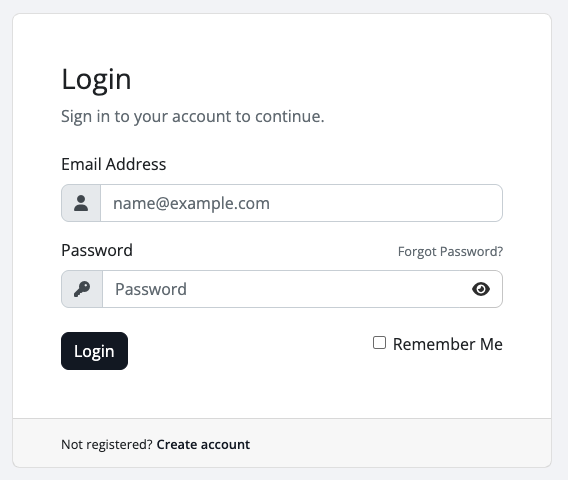
Step 4: Click “Login”
Click the Login button to access your account.
Step 5: Access Your Client Area
Once logged in, you can:
- Manage your services
- View invoices and billing
- Submit and track support tickets
Troubleshooting
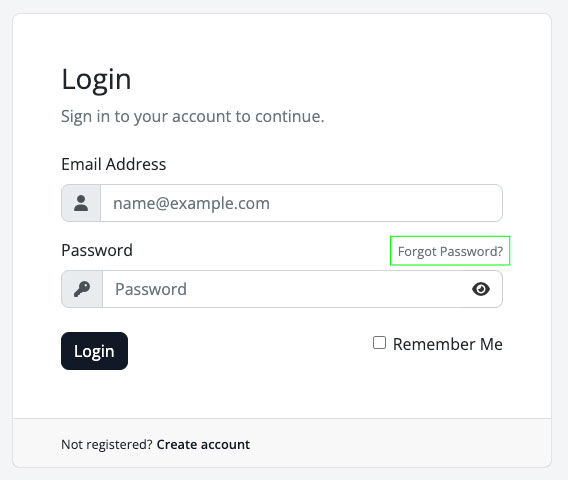
Forgot your password?
Click “Lost Password Reset” on the login page and follow the steps sent to your email.
Not receiving the reset email?
- Check your Spam/Junk folder
- Wait a minute and refresh your inbox
Account not verified?
If you recently registered and cannot log in:
- Check your email for the verification message
- Click the verification link before logging in
Incorrect password?
- Make sure Caps Lock is off
- Double-check your email and password
- Use the password reset option if needed
Tip
Bookmark the portal for quick access:
https://portal.archgriffin.com