
Registering a domain through the ArchGriffin client portal is quick and straightforward. This guide will walk you through the full process — from searching for your domain name to completing payment.
Step 1 — Navigate to Domain Registration
Once logged into the ArchGriffin client portal, navigate to:
Domains → Register a New Domain
You will be taken to the domain registration page where you can search for your desired domain name.
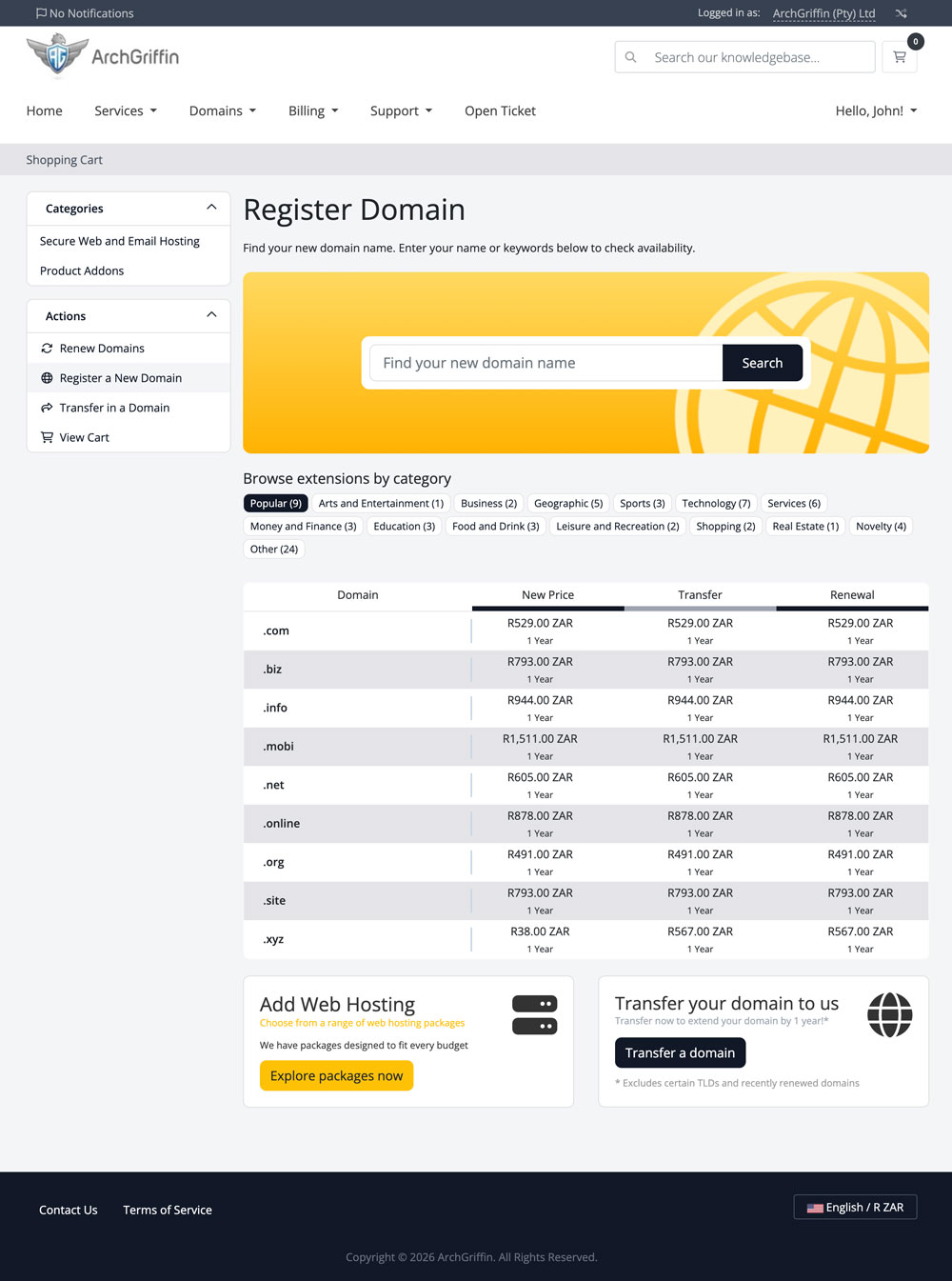
Step 2 — Search for Your Domain Name
In the search field:
- Enter the domain name you would like to register
- Click the Search button
Example:archgriffindemo.com
The system will check domain availability in real time.
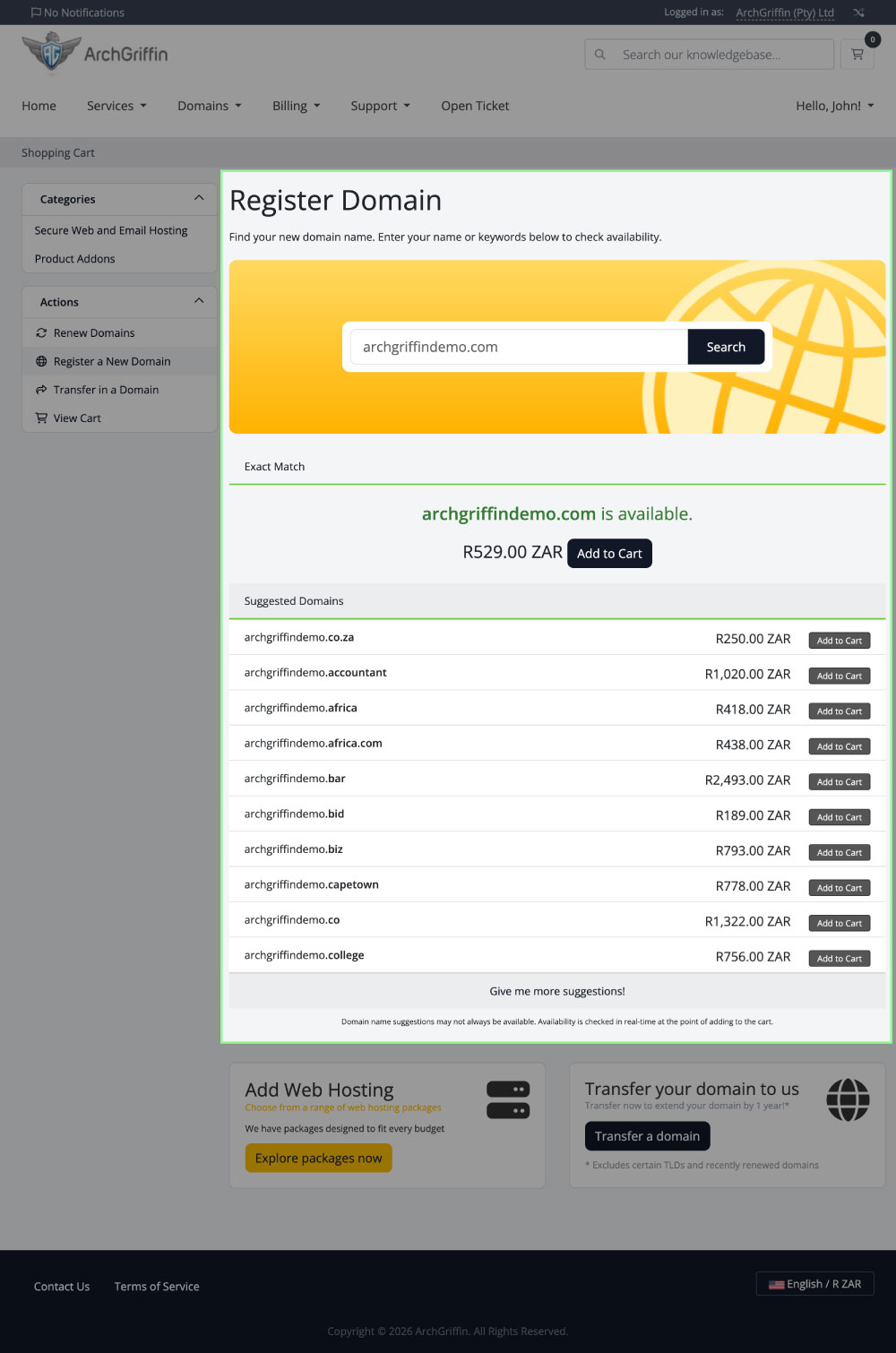
Step 3 — Select an Available Domain
If your domain is available, you will see a confirmation message along with the registration price.
The portal may also display additional suggested domain extensions such as:
.co.za.africa.biz.online
To continue:
- Click Add to Cart next to your preferred domain extension
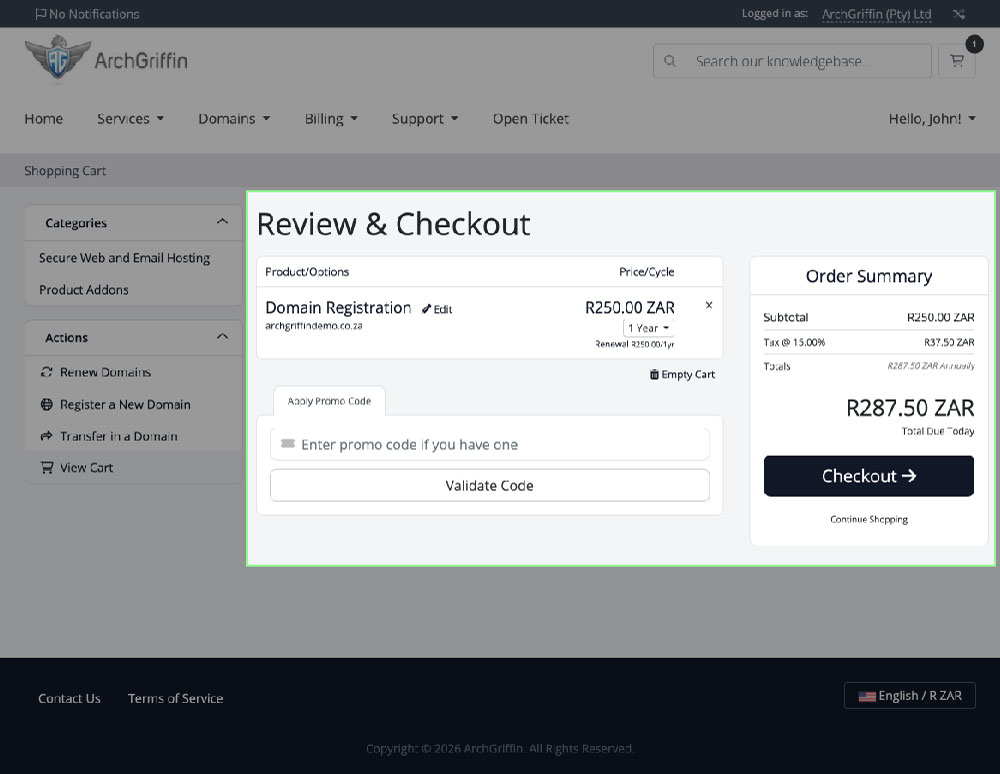
Step 4 — Review Your Cart
You will now arrive at the Review & Checkout page.
Here you can:
- Review your selected domain
- Confirm pricing
- Apply a promo code (if applicable)
- Verify billing cycle information
Once everything looks correct:
- Click Checkout
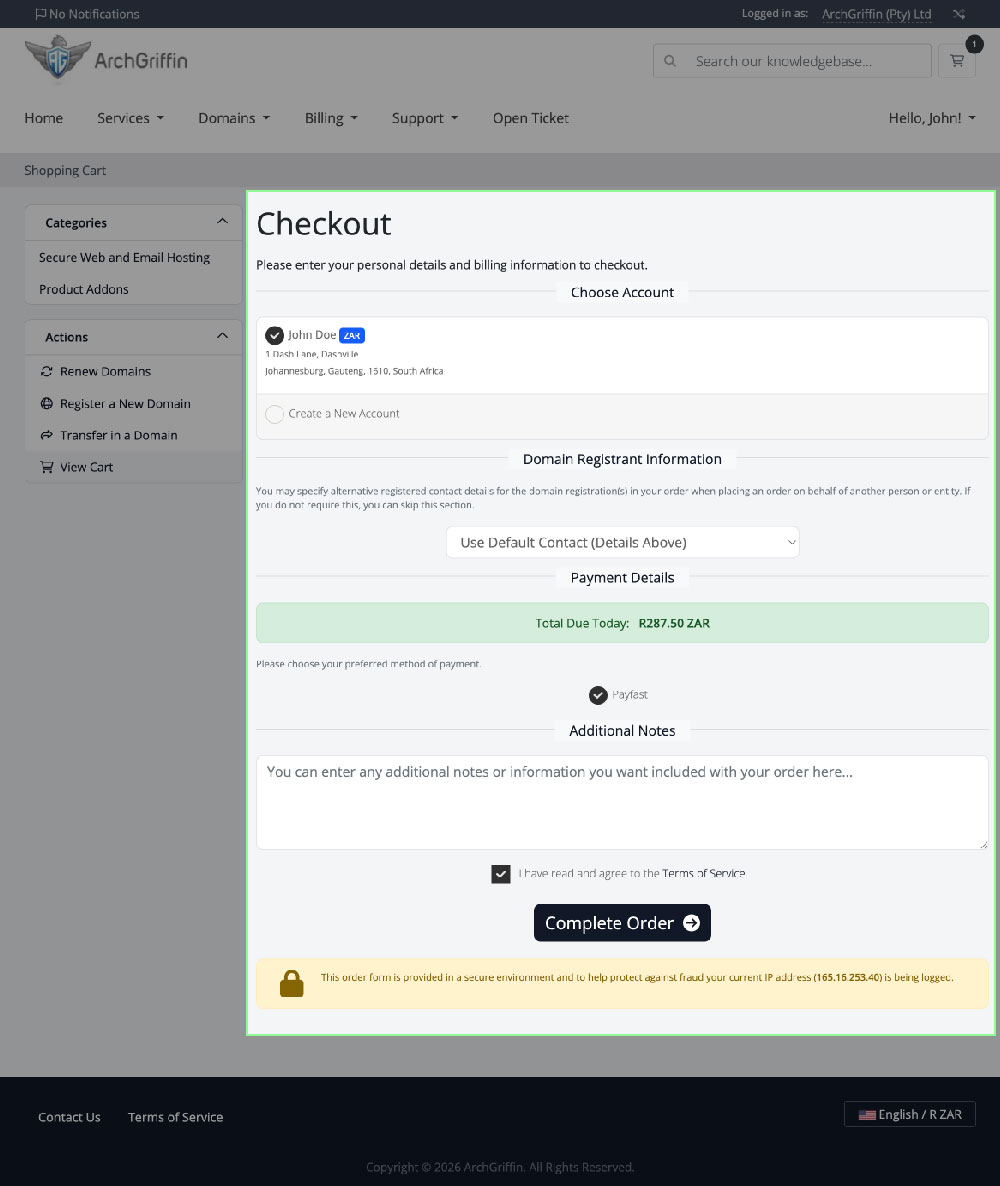
Step 5 — Confirm Your Account & Billing Information
On the checkout page:
- Select your existing account
- Confirm your domain registrant information
- Review the payment total
- Accept the Terms of Service
Once complete:
- Click Complete Order
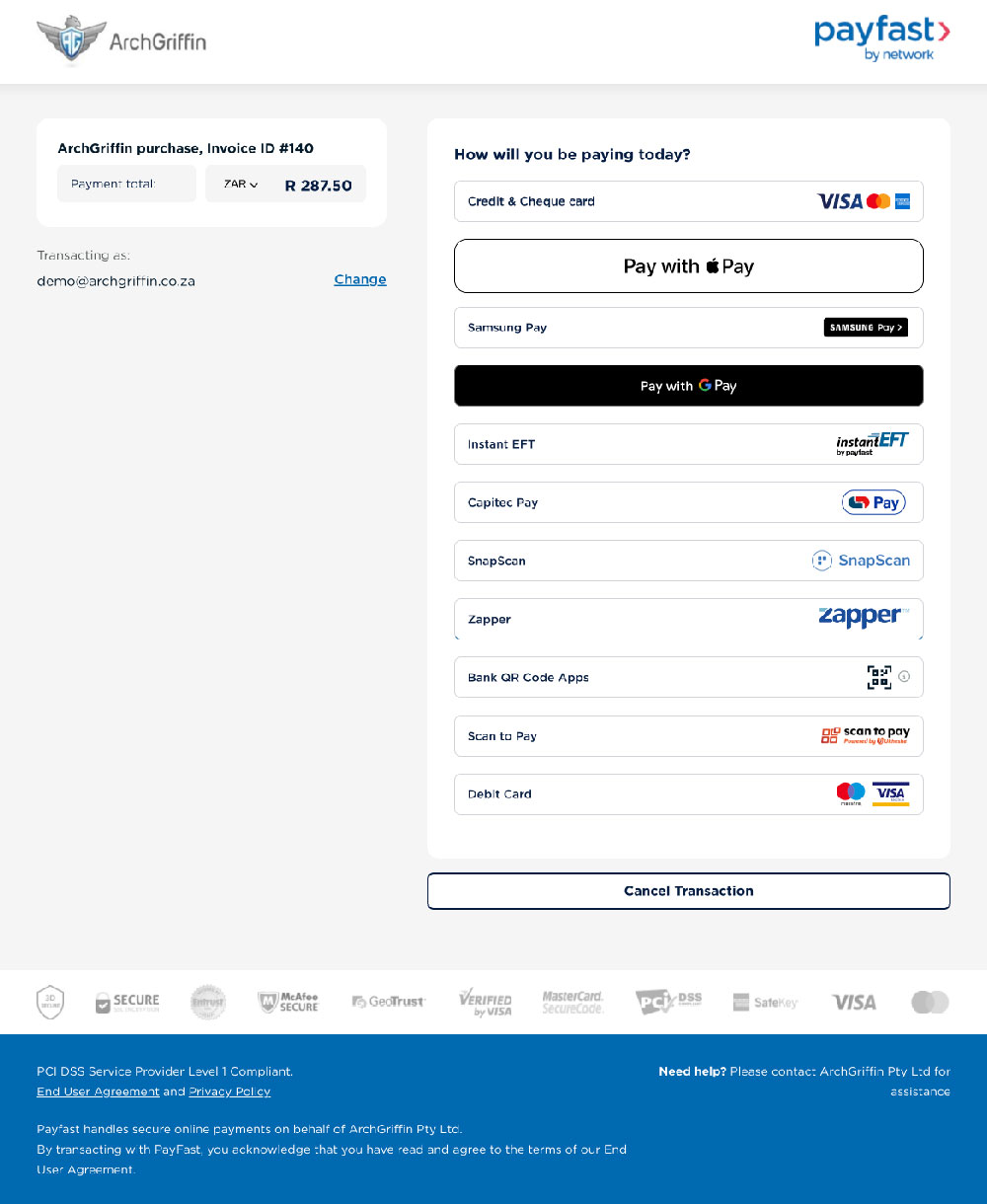
Step 6 — Complete Payment
You will now be redirected securely to the PayFast payment gateway.
Available payment methods may include:
- Credit & Debit Card
- Instant EFT
- Apple Pay
- Google Pay
- Samsung Pay
- Capitec Pay
- SnapScan
- Zapper
- Scan to Pay
Select your preferred payment method and complete the payment process.
Step 7 — Domain Registration Confirmation
Once payment has been completed successfully:
- Your order will be processed automatically
- Your domain registration will begin immediately
- You will receive confirmation via email
- Your domain will appear in your ArchGriffin client area under:
Domains → My Domains
Important Notes
- Domain availability is checked in real time and may change quickly
- Certain domain extensions may require additional registration information
- Domain registrations are billed annually unless otherwise specified
- Renewal pricing may differ from promotional registration pricing
Need Assistance?
If you experience any issues during registration or payment, please contact the ArchGriffin support team through the client portal support section.